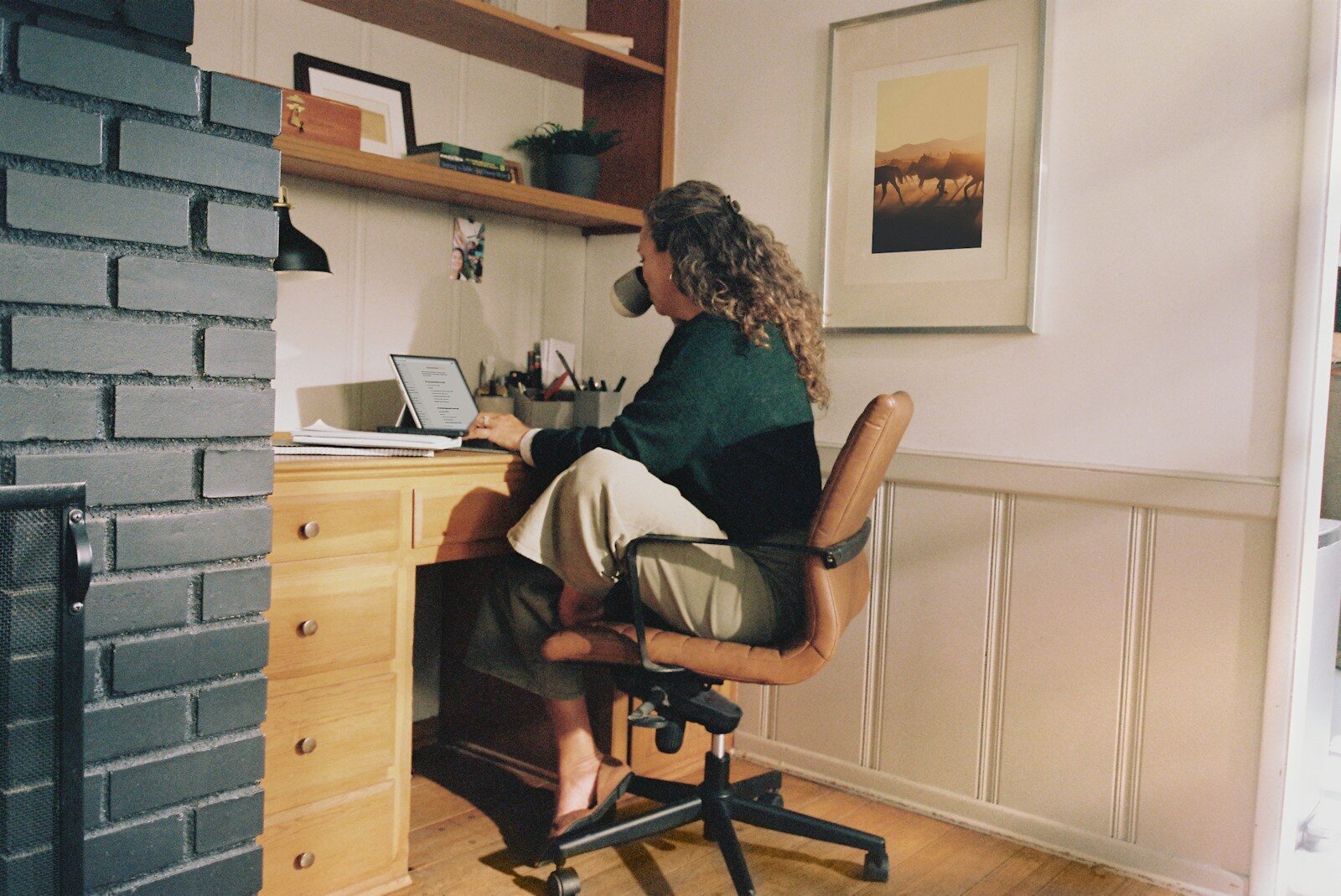
Working from home sounds like the dream right up until you realize your commute is now ten feet from your bed to your desk, your “office” doubles as the kitchen table, and nobody ever really logs off. Remote work can absolutely be less stressful than a traditional office job, but it comes with a different kind of pressure: isolation, blurred boundaries, and the nagging feeling that you should always be available. If you have noticed your stress creeping up since you started working remotely, you are far from alone, and there are concrete steps you can take to fix it.
Why Remote Work Causes a Different Kind of Stress
Office stress usually comes from external sources: a noisy environment, a difficult commute, or an overbearing manager standing over your shoulder. Remote work removes a lot of that, but it replaces it with internal pressure. When your home is also your workplace, your brain never gets a clear signal that the workday is over. Many remote employees also feel a constant need to prove they are working, which leads to overcompensating with longer hours and instant replies to every message. On top of that, the social isolation of working alone all day can quietly wear down your mood and motivation without you noticing until it becomes a real problem.
Set Up a Dedicated Workspace
One of the biggest contributors to remote work stress is working from wherever is convenient, whether that is the couch, the bed, or the kitchen table. Your brain associates physical spaces with certain activities, so if you work from the same spot where you relax, it becomes much harder to switch off at the end of the day. Even in a small apartment, try to carve out one consistent spot that is used only for work. It does not need to be a full home office. A specific chair and a corner of a table can be enough, as long as you are consistent about using that space for work and nothing else.
Build Real Start and Stop Times
Without a commute or an office to physically leave, the workday can stretch indefinitely. Set an actual start time and a hard stop time, and treat both as non negotiable appointments. Some remote workers find it helpful to recreate the “commute” in miniature, like a ten minute walk before logging on and another one after logging off, simply to create a mental transition between work mode and home mode. Turn off notifications for work chat and email once your day ends. If your company culture makes that difficult, have a direct conversation with your manager about expectations for after hours availability. Most reasonable employers will support clearer boundaries once they understand it is affecting your wellbeing and, eventually, your output.
Fight Isolation on Purpose
Loneliness is one of the most underestimated sources of remote work stress. In an office, you get small doses of social interaction all day without trying, from hallway chats to lunch with coworkers. At home, that has to be intentional. Schedule regular video calls with teammates that are not strictly about tasks, even a quick fifteen minute check in. Consider working from a coffee shop or a coworking space a couple of days a week if that is available to you. Outside of work, make an effort to keep up in person social plans, since remote work can quietly shrink your world if you let it.
Protect Your Body, Not Just Your Schedule
Stress is not only mental. Sitting in the same spot all day, skipping meals because you are “in the zone,” and going hours without natural light all add to your stress load. Build short movement breaks into your day, even if that is just a few minutes of stretching or a lap around the block. Eat lunch away from your desk when you can. If your schedule allows it, try to get outside at least once during daylight hours. These sound like small things, but they have a measurable effect on how well you handle pressure over the course of a workday.
Communicate Proactively Instead of Reactively
A lot of remote work anxiety comes from uncertainty about whether your manager thinks you are doing enough. Rather than waiting for that question to come up, get ahead of it. Send a short end of day or end of week summary of what you accomplished. Ask your manager directly what “good” looks like for your role and how they prefer to track progress. This single habit removes an enormous amount of guesswork and second guessing, and it often improves how you are perceived, since proactive updates read as confidence and organization rather than defensiveness.
Know When It’s More Than Just Stress
Everyday work stress is normal and manageable with the strategies above. But if you notice persistent low mood, trouble sleeping, loss of interest in things you used to enjoy, or a sense of dread about logging on every single day, that may be a sign of something beyond typical job stress, such as burnout or depression. These are medical and psychological concerns, not just scheduling problems, and they deserve real attention. If this sounds like you, consider talking to a doctor or a mental health professional, and do not treat it as something you just need to push through on your own.
Frequently Asked Questions
Is remote work actually less stressful than office work?
It depends on the person and the job. Remote work removes commute stress and office politics for many people, but it can introduce isolation and blurred boundaries that create a different kind of pressure. Neither setup is automatically less stressful; it comes down to how well the specific challenges of each are managed.
How do I tell my manager I’m overwhelmed working remotely without looking like I can’t handle the job?
Frame it around specifics rather than feelings alone. Instead of saying you are overwhelmed, point to concrete issues, such as messages coming in outside agreed hours or unclear priorities, and propose a specific fix. Managers generally respond well to problem solving conversations and much less well to vague complaints.
What are quick stress relief techniques I can use during a remote workday?
Short walks, a few minutes of deep breathing, stepping outside for fresh air, and brief stretching breaks are all effective in the moment. The key is doing them proactively throughout the day rather than only after stress has already built up.
Use Tools to Reinforce Boundaries, Not Just Track Tasks
Most remote workers already use project management tools like task boards or shared calendars, but these same tools can also protect your mental health if you set them up intentionally. Block off focus time on your calendar so meetings do not fragment your day into constant context switching, which is a major hidden source of stress. Use status indicators honestly, marking yourself as away or offline during breaks instead of staying “green” out of guilt. Some people also set a recurring calendar block at the end of the day labeled simply as “shutdown,” which acts as a visual and mental cue that work is finished, even though no one is physically watching you leave a building.
Build a Routine That Actually Lasts
Quick fixes help in the moment, but long-term stress management comes down to routine. Wake up at a consistent time even if your schedule is flexible, since irregular sleep patterns are strongly linked to higher stress and lower focus. Get dressed for the day rather than working in pajamas, which sounds minor but reinforces the mental separation between home life and work life. Plan your week in advance rather than deciding what to prioritize each morning, since decision fatigue early in the day tends to compound stress later on. None of these habits are complicated, but consistency matters more than intensity. A simple routine followed every day will do more for your stress levels than an elaborate wellness plan you only follow occasionally.
When to Talk to Your Employer About Changes
If you have tried adjusting your own habits and the stress is still tied directly to how your job is structured, such as unrealistic workloads, unclear expectations, or a culture of constant availability, it is worth raising directly with your manager or HR. Come prepared with specific examples and, where possible, a proposed solution, such as adjusted deadlines or clearer communication norms. Many companies are still learning how to manage remote teams well, and a calm, solution-focused conversation can lead to real changes rather than you quietly absorbing the stress indefinitely.
A Simple Weekly Check-In With Yourself
Once a week, take five minutes to honestly ask yourself a few questions: Did I take real breaks this week? Did work bleed into evenings or weekends more than I wanted? Did I talk to another human being outside of work chat messages? These quick check-ins catch small problems before they become chronic ones. Remote work stress rarely shows up as one dramatic event. It usually builds slowly through small compromises, like answering one more message after dinner or skipping lunch one too many times. A regular check-in gives you a chance to catch that drift early and adjust course before it turns into burnout.
Anonymous and approximate. We store one number for this article and nothing about you.
Email digest
We also run a layoff tracker, built from company filings and official notices. A plain email summary of what changed on these trackers: headline numbers, the largest new entries, and links to the sources. You confirm your address by clicking a link we email you, and one click unsubscribes. Already subscribed? Use this form to change what you get. The boxes replace what you had.
Our mail provider records whether you open an email and which links you follow, including the confirmation email, which is measured before you have agreed to anything. Unsubscribing stops the sending and the recording together.
You can read every past edition first. Each one is kept permanently, exactly as it was sent.
Privacy note: what we store and how to erase it
What we store: your email address, the choices above, and timestamps (signed up, confirmed, last sent). Nothing else about you.
What our mail provider records: whether you opened an email and which links you followed, tied to your address. That is Brevo, the service that delivers these emails, and it works by adding a small invisible image and by routing links through its own address. We read it to see which sections people use. Unsubscribing stops the sending and the measuring at the same time, and erasing your row removes it from our side.
The confirmation email is measured too: the same invisible image is in the one message that asks your permission. If you open it, Brevo records that against your address before you have agreed to anything, and it records it even if you then never confirm. We would exempt that message if we could. Brevo offers no way to switch its measuring off for a single email, and the one setting that exists covers every email we send or none of them. If you would rather not be measured at all, do not open it. Nothing else is ever sent to an unconfirmed address, and the signup is deleted from our side after 30 days.
About the links: links in the digest pass through a counter on this site that adds 1 to a total for that link and sends you straight on. It records no identifier, no IP address and no browser details, so it counts how many times a link was followed and can never say who followed it.
What it is used for: sending you exactly the emails you ticked, nothing else. The address is never shared, sold, or used for any other purpose.
How to erase it: click the unsubscribe link in any email. That stops all sending immediately, and unsubscribed addresses, along with signups that were never confirmed, are hard-deleted automatically after 30 days. You can also ask via the contact page.